
If you want to appear in ChatGPT search as a law firm, stop treating your website like a brochure and start treating it like a verified source. Your win is simple: make your firm easier for AI tools to understand, trust, and name in legal answers, local prompts, and branded searches.
Hit the target: what “appear in ChatGPT search” means for a law firm
Hit three scoreboards: visibility, accuracy, and attribution.
Visibility means your firm shows up when somebody asks for a lawyer in your city or practice area. Accuracy means the answer names the right office, the right attorneys, and the right services. Attribution means your site, profiles, and citations are the sources feeding that answer.
Set the targets now. By Friday, clean up your core firm data and tighten three money pages. In 30 days, aim for cleaner branded mentions, better local profile consistency, and at least 10 repeatable prompt tests that mention your firm correctly more often. In 60 days, aim for stronger citation coverage, more reviews with service-specific language, and a noticeable lift in branded search demand and consultation quality.
That is the playbook. Not tricks. Not hacks. Just clearer signals.
What you’ll need before you start
Start with access. If you can’t edit the right assets, this sprint dies on Day 1.
You need website CMS access, Google Business Profile access, Google Analytics, Google Search Console, your main legal directory logins, and one shared sheet to track changes. You also need current attorney bios, practice area pages, office details, review links, and a list of every active profile where your firm appears online.
Build one tab for pages, one for listings, one for reviews, and one for prompt testing. Keep it ugly if needed. Just keep it usable.
Log your baseline metrics in 15 minutes
Track your starting score before touching anything.
- Search your firm name, your attorney names, and your top city plus practice area terms.
- Log current rankings for branded and local searches.
- Record indexed pages in Search Console.
- Log review count and average rating on Google and top legal directories.
- Run five to 10 AI prompts and note whether your firm appears, how it is described, and what sources are referenced.
That last one matters more than most firms realize. If you need a tighter process for testing answers, use this guide on checking your firm’s AI visibility. Log the score today so you have something to beat by Friday.
Step 1: Lock in your law firm’s core facts
Hit 100 percent consistency on your identity signals.
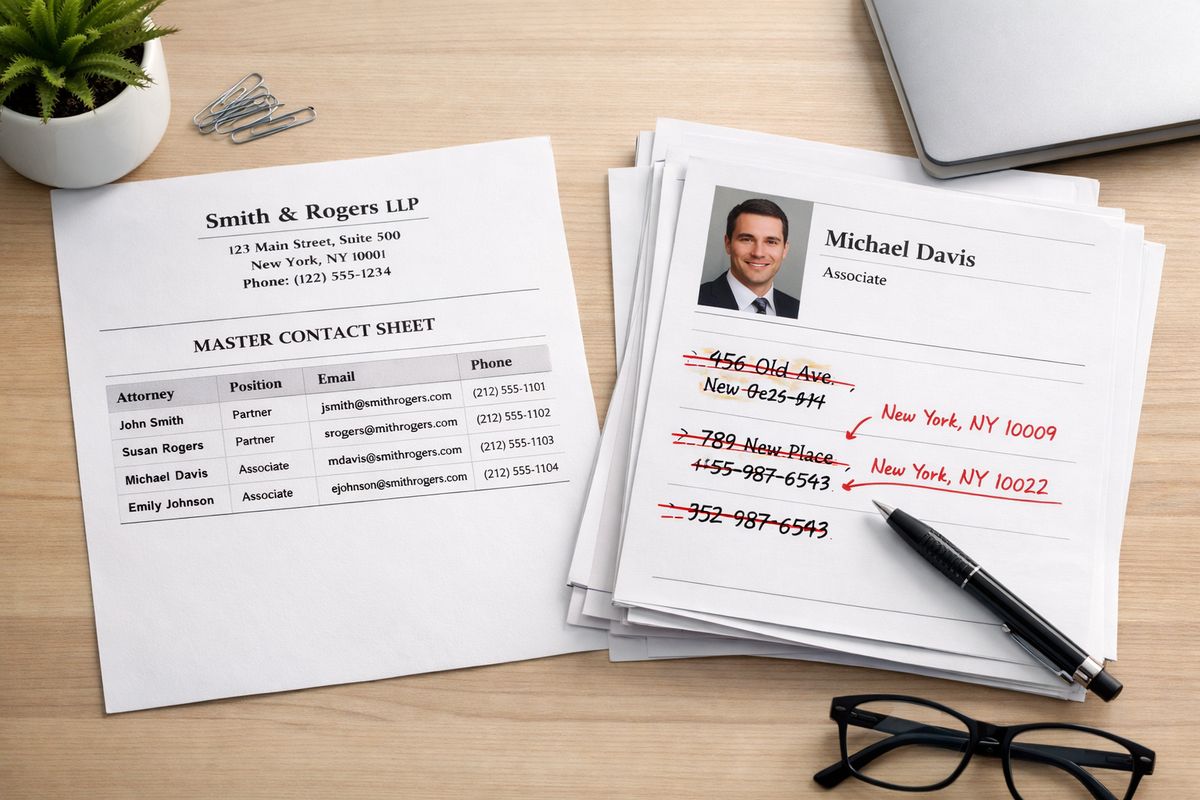
AI tools pull from a messy web of pages, profiles, and mentions. If your name is slightly different across directories, your old suite number still lives on a legal listing, or one profile says “trial attorney” while another says “personal injury lawyer,” your signals get muddy fast.
Start with your firm name, address, phone, main website URL, office hours, practice areas, attorney names, and service locations. Match them everywhere.
Ship one master NAP and identity sheet
Create a single source of truth and use it like a playbook.
- Open a shared document.
- Enter your exact firm name, address, phone, website, hours, and primary email.
- Add your primary category, secondary categories, and standard practice area wording.
- Add each attorney’s exact name, title, bar admissions, and office association.
- Paste this into every profile and page update from here forward.
This solves a common problem fast. AI tools do better when your entity details line up across your site and third-party sources.
Fix mismatched listings and outdated profiles
Start with the platforms most likely to spread bad data.
- Update Google Business Profile.
- Update your top legal directories.
- Fix Apple Maps, Bing Places, and core local profiles.
- Remove duplicates and old office addresses.
- Align categories with your actual revenue-driving practice areas.
If your intake team keeps hearing “I found the wrong address,” your cleanup is overdue. Tighten it now.
Step 2: Build pages ChatGPT can actually understand
Target three to five core pages first. Pick the pages tied to your biggest case types or best consultation volume.
Vague copy hurts you here. AI systems prefer pages that answer clear questions in plain English. That means direct service descriptions, real jurisdictions, specific next steps, and obvious attorney connection.
For a deeper look at why your service pages carry so much weight, review this breakdown on making core legal pages easier for AI to use.
Rewrite practice area pages with plain-language answers
Start each page with the actual question a client would ask.
- Lead with a one-paragraph answer to what the service is and who it helps.
- Add sections for case types, timelines, fees, process, and local jurisdiction limits.
- Use plain phrasing like “What does a car accident lawyer do in Dallas?” instead of fluffy headlines.
- End with clear next-step language tied to consultations.
Good pages sound human. They don’t sound like ad copy stuffed with city names.
Add location pages that prove local relevance
Hit every city or county that matters, but make each page earn its place.
- Create one page per real service area.
- Add local court, filing, commute, or jurisdiction context.
- Mention the office connection or service process for that area.
- Tie the page to specific practice areas handled there.
Thin doorway pages won’t help. Unique local detail will.
Strengthen attorney bio pages for authority
Ship bios that make your attorneys look verifiable, not generic.
- Add bar admissions and states licensed.
- Add years in practice and case focus.
- Include speaking, publications, awards, and media mentions.
- Link each attorney to relevant practice area pages and articles.
This is one reason strong lawyer profile pages matter so much in AI search. If your bios are three bland paragraphs and a headshot, fix that this week.
Step 3: Add structured data that supports entity recognition
https://www.youtube.com/watch?v=YvQAGhRIWMo
Boost machine readability on the pages doing the heavy lifting.
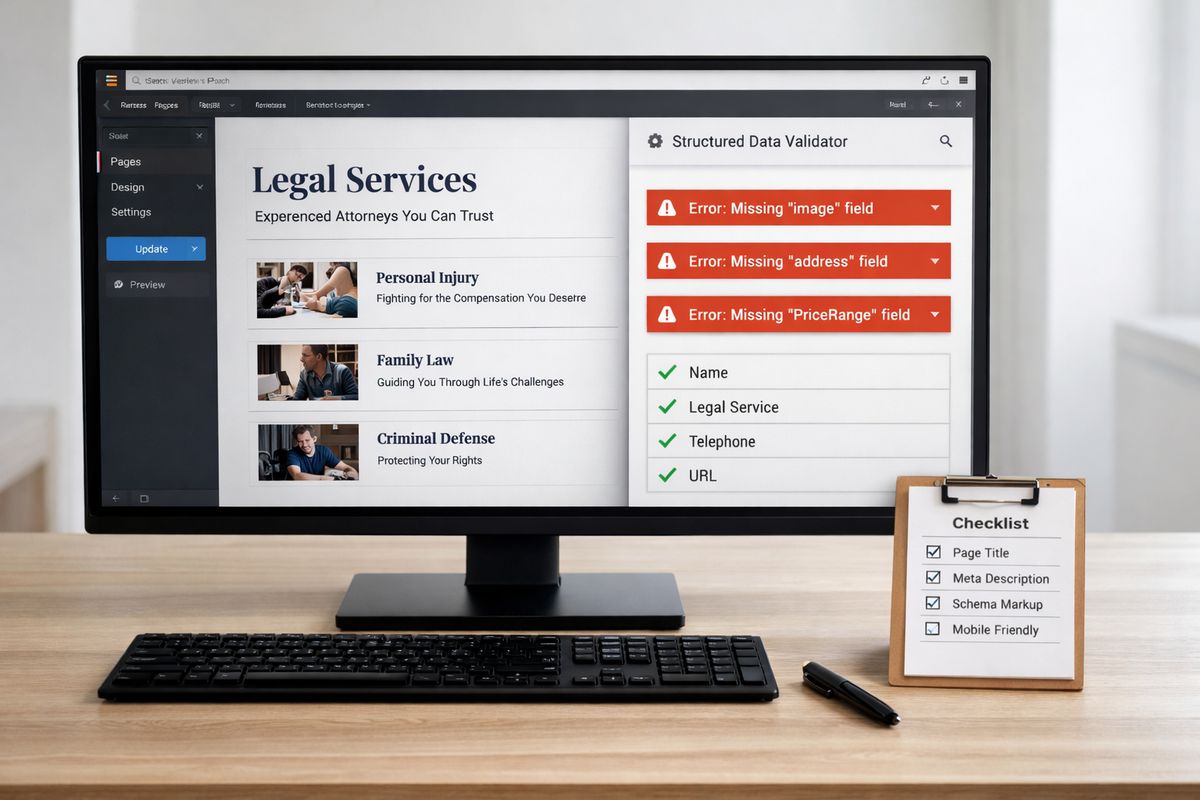
Schema markup will not save a weak site, but it helps search systems connect your firm, your attorneys, your offices, and your services with less guesswork. That is useful when AI tools are deciding how to summarize legal businesses.
Start with LegalService, Attorney, LocalBusiness, and FAQ schema
Start simple and cover the basics well.
- Add LegalService schema to main service pages.
- Add Attorney schema to attorney bios.
- Add LocalBusiness schema to office pages and contact pages.
- Add FAQ schema where you already have visible Q and A content.
- Make sure names, URLs, phone numbers, and addresses match your master sheet.
Keep the markup aligned with visible content. If the page doesn’t say it, don’t mark it up.
Validate markup and fix errors fast
Run QA every time you publish or update.
- Test the page in a schema validator.
- Check for missing fields, duplicate entities, and conflicting business info.
- Log errors in your tracking sheet.
- Recheck after plugin updates or theme changes.
One broken field isn’t the end of the world. A dozen conflicting entity signals across your site is.
Step 4: Publish source-worthy legal content on a steady cadence
Hit one strong piece a week. That’s the rep.
Your site needs content that answers legal questions in a way AI tools can summarize and cite. Not endless “latest news” posts. Not vague 500-word blurbs. Answer-first content wins here.
If you want the short version, this guide on what kind of legal content tends to surface in AI answers lines up with exactly what you should build next.
Build a prompt-driven content list from real client questions
Start with what your intake calls already tell you.
- Pull common client questions from consult notes and call logs.
- Export Search Console queries tied to top practice pages.
- Turn each question into one article, FAQ, or explainer.
- Group topics by service and city.
Questions like “How long does a personal injury case take in Arizona?” or “Do I need a probate lawyer if there’s no will?” are gold because they match how people talk to AI tools.
Format content for answer extraction
Make your content easy to lift without making it robotic.
- Use direct subheads that mirror real questions.
- Answer fast in the first paragraph under each subhead.
- Use short lists where a process or checklist helps.
- Add examples, timelines, and plain-language definitions.
- End with a short recap or decision rule.
This works because conversational systems favor clean, extractable structure. That is also why writing in a more natural Q and A style can improve how your legal content gets picked up.
Add trust signals to every article
Ship accountability signals on every piece.
- Add the reviewing attorney name.
- Show publish and update dates.
- Include jurisdiction notes.
- Add source citations when discussing laws or deadlines.
- Link to the attorney bio and related service page.
Legal content without authorship and update cues looks weak. Legal content with named expertise looks quotable.
Step 5: Strengthen your off-site authority with legal and local citations
Target 20 high-value mentions and listings this quarter.
Your site is only one half of the signal. The other half is corroboration. AI tools trust businesses that show up consistently across legal directories, local organizations, news stories, and professional profiles.
Claim and upgrade top legal directories
Start with the big names and finish the fields.
- Claim your Avvo, Justia, FindLaw, Martindale-Hubbell, and similar profiles.
- Match your firm details to your master sheet.
- Fill in practice descriptions with the same service language used on your site.
- Add attorney details, awards, and office info.
- Link back to the most relevant page on your site.
Half-finished profiles waste authority. Complete ones reinforce it.
Earn local mentions that support entity trust
Ship outreach like a weekly rep.
- Pitch local podcasts, chambers, and bar events.
- Sponsor relevant community events where your firm gets a mention.
- Contribute legal commentary to local publications.
- Get listed on association and membership pages.
- Make sure every mention links or names your firm clearly.
This is where local signals that support AI visibility for law firms start paying off. Not overnight, but fast enough to matter within a quarter.
Step 6: Turn reviews into searchable proof
Hit a review growth number this month and track it.
Reviews do more than boost trust with people. They also give AI tools language about your service quality, matter types, and cities served. Generic praise helps a little. Specific praise helps a lot more.
Ask for reviews with practice-area context
Guide the language without scripting the review.
- Send a simple request after a matter closes.
- Ask clients to mention the type of case and city in natural words.
- Point them to Google first, then to a top legal directory if appropriate.
- Log requests sent and reviews received each week.
If you want a deeper read on how review language affects recommendations, this article on why client feedback shapes AI recommendations is worth your next 10 minutes.
Respond to reviews in a way that reinforces relevance
Write short replies that confirm service context without sounding canned.
- Thank the client briefly.
- Reference the service category in a natural way.
- Mention the city or office only if it fits.
- Avoid confidential details.
- Keep the wording varied across responses.
Reviews are proof. Responses are reinforcement.
Step 7: Make your Google Business Profile pull its weight
Boost local recommendation strength by tightening every field you can control.
For a lot of local legal prompts, your GBP is one of the strongest public signals attached to your firm. Treat it like a living asset, not a set-it-and-forget-it listing.
Fix your primary and secondary categories
Pick categories based on your best business, not your broadest description.
- Set one primary category tied to your highest-value main practice.
- Add secondary categories that reflect real supporting services.
- Remove categories that don’t match your site or intake mix.
- Align your services list with your top practice pages.
Category sloppiness creates relevance drift. Clean categories sharpen local discovery.
Post updates and answer questions weekly
Run one weekly GBP rep.
- Publish one update.
- Upload one fresh photo set.
- Add or answer one question in Q and A.
- Check for suggested edits or changes from users.
- Log the date in your sheet.
Freshness alone won’t make you appear in ChatGPT search, but it adds more current, local context to the web around your firm.
Step 8: Create corroboration across the web
Start a consistency sprint and finish the trail.
When your site says one thing, your directories say another, and your press mentions leave out key credentials, your authority weakens. The fix is not glamorous. It works anyway.
Match awards, memberships, and bar details everywhere
Sync the proof points across every major asset.
- Match bar admissions on bios and directories.
- Use the same award names and years everywhere.
- Update memberships and speaking appearances.
- Add media mentions to bios and profile pages.
- Remove claims you can’t verify quickly.
Authority works better when it is easy to confirm. For more on that, this explainer on how awards and reputation signals support law firm visibility in AI tools fills in the bigger picture.
Link your digital properties together
Connect your web presence so crawlers can follow the map.
- Link your website to GBP and social profiles.
- Link attorney bios to directory profiles when appropriate.
- Link directory profiles back to office and service pages.
- Use consistent branding across every destination.
Make verification easy. That is the whole point.
Step 9: Test how ChatGPT and other AI tools describe your firm
Log a weekly scorecard. No guessing.
Traditional SEO reporting is not enough here. You need to know how AI systems describe your firm, which sources they seem to rely on, and whether your updates change those outputs over time.
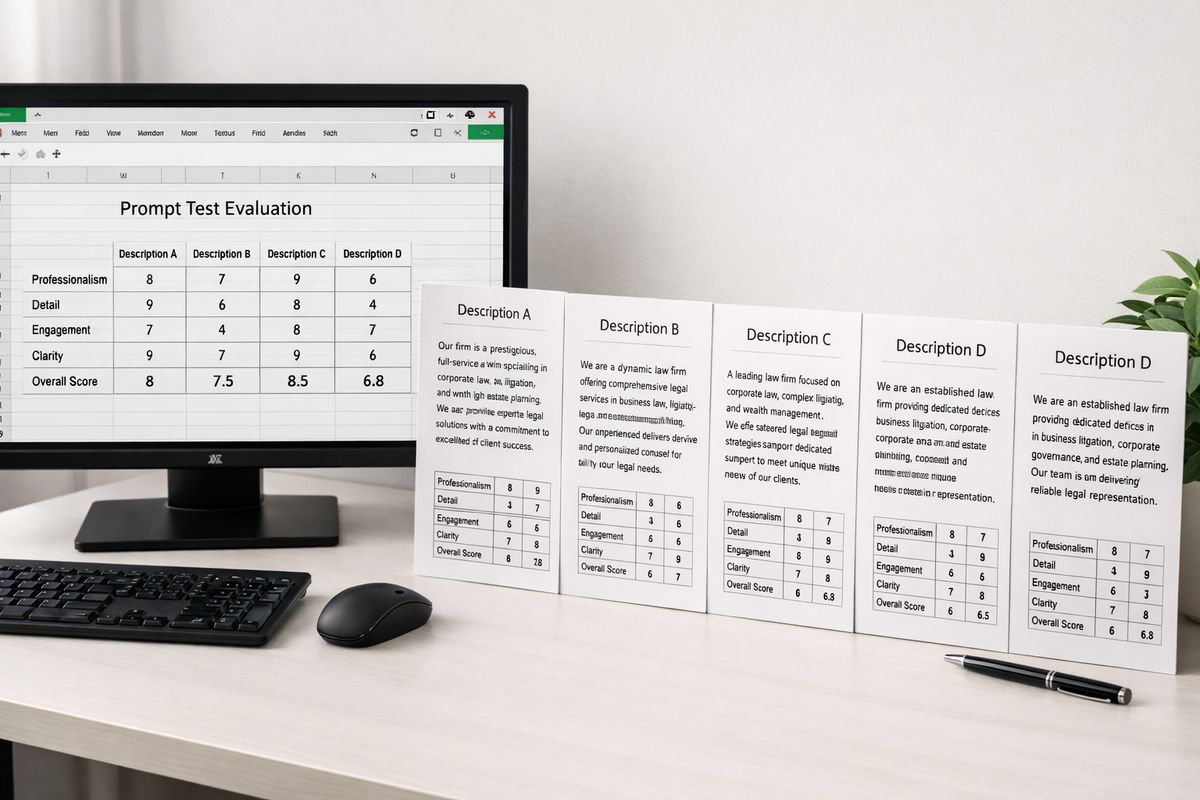
Run 10 prompt tests every week
Use the same prompt set every week so the data means something.
- Search your firm name alone.
- Search your firm name plus reviews.
- Search your attorney name plus practice area.
- Search “best [practice area] lawyer in [city].”
- Search comparison prompts between your firm and local competitors.
- Search “who handles [case type] near me.”
- Log appearances, descriptions, and cited sources for each result.
- Score each result for accuracy on a simple 1 to 5 scale.
- Repeat weekly on the same day.
- Post the score in your tracking sheet.
This is the habit that separates busywork from actual movement.
Compare AI mentions to your search and referral data
Stack your prompt notes next to your site data.
- Check branded clicks in Search Console.
- Review referral traffic where AI tools are visible.
- Compare lead quality notes from intake.
- Match changes to the pages, profiles, and reviews you updated that month.
If you need the bigger framework, this article on measuring whether your AI optimization is actually working gives you the scoreboard.
Step 10: Tighten the loop with monthly updates
Hit one cleanup cycle every 30 days.
This is where firms either compound gains or lose them. Legal marketing gets stale fast. Office info changes. Attorneys rack up new credentials. Laws shift. Reviews slow down. Pages age.
Refresh your top 10 money pages first
Start where better visibility can produce better cases.
- Update legal details, examples, and FAQs.
- Add internal links to related pages and bios.
- Refresh author and review information.
- Improve weak openings with direct answers.
- Tighten calls to action for consultations.
If you are still splitting budget between old-school SEO and AI search work, this guide on where law firms should focus between Google and AI visibility helps keep priorities straight.
Log wins, misses, and the next sprint
Close the month with one sheet and one decision.
- List what changed.
- List what improved.
- List what stalled.
- Pick the next three fixes.
- Assign a deadline by Friday.
That keeps the playbook live instead of parked in a tab.
Troubleshooting: why your law firm still doesn’t appear in ChatGPT search
https://www.youtube.com/watch?v=Mgl4BGZMenI
Sometimes the basics are in place and results still lag. Usually the blocker is not one giant issue. It’s five smaller ones stacking up.
Thin location pages, weak reviews, empty bios, inconsistent citations, outdated content, and missing schema create enough friction to keep your firm out of the answer set. Clean up the stack.
Your firm appears in Google but not in AI answers
Google rankings are not the same thing as conversational visibility.
A page can rank decently and still be hard for AI tools to summarize because it is vague, thin, or unsupported by off-site corroboration. Tighten the format, improve the expertise signals, and make sure third-party sources back up your claims.
ChatGPT mentions the wrong office, lawyer, or practice area
Conflicting data is usually the reason.
Run a quick audit of your site footer, contact page, GBP, attorney bios, legal directories, and old citations. If one office moved, one attorney changed firms, or one listing still shows old categories, fix those first. Wrong outputs usually trace back to stale web data.
Your content gets traffic but no branded mentions
Traffic is not the same as entity recognition.
If articles rank but your firm name barely gets connected to the topic, add stronger authorship, clearer attorney review, better internal linking to service pages, and more consistent firm branding across the page. Make your expertise obvious enough to name, not just paraphrase.
Expected outcome: what results to look for in 30 to 90 days
Expect the early wins first.
In 30 days, you should see cleaner profiles, better page structure, more consistent firm descriptions, and stronger prompt-test accuracy for branded searches. In 60 days, local and service prompts may start picking up your firm more often, especially if reviews and directory coverage improve. By 90 days, the bigger wins show up: stronger branded demand, better consultation quality, and more consistent AI descriptions tied to your real practice strengths.
That timeline matters because a lot of firms quit too early. If you want the reality check on pacing, this piece on how long it usually takes before AI systems start reflecting SEO improvements sets fair expectations.
Start this week: your 7-day law firm sprint
Ship seven reps in seven days. No overthinking.
- Day 1: Log your baseline scores and run 10 prompt tests.
- Day 2: Create your master NAP and identity sheet.
- Day 3: Fix your Google Business Profile categories, services, and Q and A.
- Day 4: Rewrite one practice area page with plain-language answers.
- Day 5: Upgrade one attorney bio with credentials, focus, and proof.
- Day 6: Request five reviews and update two top legal directories.
- Day 7: Add or validate schema on one office page and one service page.
Track your score. By Friday, finish at least five of the seven reps.
If you want a faster path, tighter execution, and a team that already knows how to get law firms found in AI search, schedule a call with Attorney Visibility ai this week.
Frequently Asked Questions
How long does it take to appear in ChatGPT search as a law firm?
Quick cleanup wins can show up in a few weeks, especially for branded searches and firm-name prompts. Local recommendation prompts and broader practice-area visibility usually take 30 to 90 days of steady updates, citations, reviews, and content improvements.
Does ranking in Google mean your firm will show up in ChatGPT?
No. Google visibility helps, but it does not guarantee AI visibility. Your pages also need strong structure, clear entity signals, trustworthy bios, reviews, and consistent corroboration across the web.
What pages should you fix first?
Start with your top three to five money pages: main practice area pages, office location pages, and attorney bios. Those pages do the most work for AI understanding and client conversion.
Do reviews really help AI tools mention your firm?
Yes. Reviews add service language, location context, and proof of real client experience. Better review quality often helps AI tools describe your firm more accurately and with more confidence.
How often should you test ChatGPT prompts for your firm?
Run 10 prompt tests once a week on the same day and log the results. That gives you a clean before-and-after record and helps you spot real movement instead of random answer variation.
Should you hire an agency for this or handle it in-house?
If your team has time, access, and a clean process, you can start in-house. If execution keeps stalling, your data is messy, or your site needs major page and schema work, schedule a call with Attorney Visibility ai for more information and a faster plan.