
A 2024 American Bar Association Legal Technology Survey finding makes the stakes clear: firms with connected systems handle intake more consistently than firms patching together disconnected tools. If your automated follow-ups live outside your CRM, leads slip through gaps, staff duplicate outreach, and response time slows right when speed wins consultations. This tutorial shows you how to connect automated follow-ups to your law firm CRM so every inquiry gets the right message, at the right time, without creating intake chaos.
What you’ll need before you connect automated follow-ups to your law firm CRM
A 2024 American Bar Association Legal Technology Survey report found that firms using integrated practice and client-management tools report stronger intake consistency than firms relying on disconnected systems. What this means in practice: setup starts before automation. Clean access, one clear goal, and approved messaging prevent most workflow problems before launch.
Access to your CRM, email platform, and intake tools
Start by confirming admin access to every system involved in intake. That includes your CRM, your sending inbox, your website form builder, your scheduling tool, and any call tracking platform routing phone leads into intake. If one login is missing, setup stalls fast.
You also need permission to edit automations, custom fields, tags, pipeline stages, and user notifications. Basic user access is not enough. If your phone leads rely on tracked numbers, make sure your reporting setup is already visible inside a system built for tracking every lead source clearly.
A defined intake process and follow-up goal
Pick one outcome for the first automation. Book the consultation. Collect the missing document. Re-engage the lead that went quiet. One sequence, one goal.
That focus matters because generic automated follow-ups create activity without movement. If your firm still treats every inquiry the same, tighten your targeting first by defining which prospects actually fit your practice. Once your intake goal is specific, your CRM logic becomes easy to build.
Compliance, consent, and brand-approved messaging
Confirm your opt-in language, disclaimer requirements, and approved intake copy before anything goes live. Email and SMS rules are not a detail to clean up later. They shape what you can send, how often you can send it, and what promises your messages cannot make.
Keep the language calm, professional, and specific. A legal follow-up should confirm receipt, explain the next step, and invite a reply. It should never imply a guaranteed outcome or include sensitive facts in an unsecured message.

Step 1: Audit how leads enter your law firm CRM
A 2023 Clio Legal Trends Report found that speed and consistency in client intake directly affect whether firms convert more leads into paying clients. Here’s how to use it: map every entry point into your CRM so no lead misses the first follow-up.
List every lead source feeding your CRM
- Open your CRM and pull the last 30 to 60 days of new leads.
- Identify every source that created those records, including website forms, live chat, paid search, Local Services Ads, referrals, call intake, Google Business Profile calls, and manual entries.
- Write down where each lead starts and how it reaches the CRM.
This exercise exposes blind spots quickly. A form submission may create a record instantly, while a phone call from a tracked number sits in a separate system until staff enters it manually. If you are still sorting out channel performance, review how phone attribution affects intake visibility.
Identify where lead data breaks or goes missing
- Check recent records for missing email addresses, blank phone numbers, and unassigned owners.
- Look for duplicate contacts created by repeated form submissions or separate call logs.
- Review source fields to see whether paid, organic, referral, and manual leads are being labeled consistently.
Success here looks simple: each lead enters the CRM once, with a clear source, a contact method, and a status. If those fields are incomplete, your automated follow-ups will fire late, send the wrong message, or fail completely.
Choose the lead types that deserve immediate automation
- Sort your lead sources by urgency and case value.
- Flag the practice areas where speed matters most, such as personal injury, criminal defense, or family law.
- Select one or two lead types for the first live automation.
Do not start with every practice area at once. The move that works is to automate the inquiries where a fast reply protects revenue immediately. If your firm is still working on bringing in stronger-fit case inquiries, begin with the source already producing your best consultations.
Step 2: Define the follow-up triggers inside your CRM
A 2024 Salesforce State of Sales report found that high-performing teams rely on automated actions tied to real buyer behavior rather than manual reminders alone. What this means in practice: your CRM should launch follow-ups based on clear trigger events, not guesswork.
Set triggers for new inquiries
- Create a trigger for every new form submission.
- Create a trigger for live chat starts or completed chat captures.
- Create a trigger for inbound calls that create a CRM record.
The first-touch message should send immediately after contact creation or submission. That timing matters because the highest-intent prospect is most responsive in the first few minutes after reaching out.
Set triggers for stalled leads
- Create a trigger for leads that do not schedule within a defined window, such as 24 hours.
- Create a trigger for no reply after the first contact attempt.
- Create a trigger for missed calls or abandoned intakes.
This is where a lot of firms lose business. A lead that goes quiet is not always dead. Often, the prospect got distracted, compared firms, or simply forgot to book.
Set triggers for client progression milestones
- Trigger a confirmation sequence when a consultation is booked.
- Trigger a reminder sequence when documents are requested.
- Trigger a recovery sequence after a missed consultation or unsigned retainer.
Each stage should have one next action. That is the discipline that keeps automated follow-ups useful instead of noisy.
Step 3: Clean and standardize your CRM data before automation goes live
A 2023 Experian data quality study found that inaccurate or incomplete customer records create direct workflow failure across sales and marketing systems. The move that works: standardize fields before building your sequences so your CRM knows exactly who gets what.
Standardize core contact fields
- Mark first name, last name, email, phone, practice area, lead source, and intake status as required where possible.
- Use one field for each data point instead of storing notes in random text boxes.
- Confirm formatting rules for phone numbers, dates, and source names.
Personalization only works when the field is reliable. If your CRM pulls a blank first name into a message, your automation instantly feels careless.
Create consistent tags, statuses, and pipeline stages
- Choose one naming convention for each intake stage.
- Replace duplicates such as “consult booked,” “booked consult,” and “appt set” with one approved label.
- Update workflows to reference only those approved values.
The catch is simple: automation logic depends on exact matches. If your broader intake stack still feels fragmented, it helps to understand how connected CRM systems support law firm growth.
Remove duplicate or test records
- Delete old internal test leads.
- Merge obvious duplicates.
- Archive junk imports and spam contacts before launch.
Run one final scan after cleanup. Success looks like a CRM where every active contact represents a real intake opportunity and every status means one thing.
Step 4: Build your automated follow-up sequence for each intake stage
A 2024 HubSpot State of Marketing report found that timely, sequenced follow-up outperforms one-off outreach because consistency keeps prospects engaged long enough to act. Here’s how to use it: build a simple sequence for each key stage in your CRM instead of one generic drip.
Write the first response message
- Draft a message that confirms receipt of the inquiry immediately.
- State the next step clearly, such as scheduling a consultation or replying with availability.
- Include one direct call to action and one contact path.
A strong first message reduces uncertainty. It tells the prospect that the inquiry went through and tells the prospect exactly what happens next.
Add the reminder and re-engagement messages
- Create a second message for non-responders within 24 hours.
- Create a third message for prospects who still do not act after another short delay.
- Adjust the language so each message adds a reason to respond instead of repeating the same sentence.
Good persistence feels helpful, not robotic. If you want a deeper model for longer sequences, look at how cold prospects turn into booked consultations over time.
Set stop rules so contacts exit at the right time
- Stop the sequence when the lead books.
- Stop the sequence when the lead replies.
- Stop the sequence when the lead hires your firm, declines, or opts out.
This is your checkpoint: submit a test lead, book the consultation, and make sure every pending follow-up stops automatically. If messages keep firing after the lead advances, your exit logic is broken.
Step 5: Personalize automated follow-ups using CRM fields and practice-area logic
A 2023 McKinsey personalization survey found that tailored communication increases engagement because relevance cuts friction at the decision point. The simplest version of this: use CRM fields to make every automated follow-up feel specific to the legal issue at hand.
Insert dynamic fields that matter
- Add the contact’s first name.
- Add the appointment date or scheduling link when relevant.
- Add the practice area or assigned intake contact where it improves clarity.
Use only fields you know are consistently populated. Broken personalization hurts trust faster than no personalization.
Customize language by practice area
- Write one version for urgent matters, such as personal injury or criminal defense.
- Write one version for consult-driven matters, such as estate planning or family law.
- Match the call to action to the case type.
A personal injury inquiry needs speed and reassurance. An estate planning inquiry needs clarity and an easy path to book. The language should reflect the problem the prospect is trying to solve.
Keep personalization compliant and professional
- Avoid discussing confidential facts over SMS or unsecured email.
- Avoid promises about outcomes or timelines.
- Keep the tone direct, respectful, and brand-consistent.
Professional personalization means relevance, not overfamiliarity. Your firm should sound attentive, not invasive.
Step 6: Connect your CRM to email, SMS, calendar, and intake tools
A 2024 Gartner sales technology survey found that disconnected tools slow response time and create avoidable manual work across the pipeline. What this means in practice: your automated follow-ups only work at full strength when your CRM talks to the tools your firm already uses.
Connect email for automated message delivery
- Connect your sending inbox or domain inside the CRM.
- authenticate the domain and verify sender settings.
- Load approved templates into the workflow builder.
After setup, send test messages to several inboxes. Check formatting, sender name, reply routing, and spam placement. If your systems overlap too much, it helps to review when reducing marketing and intake software sprawl actually helps firms.
Connect SMS for high-urgency follow-up
- Enable texting only for lead types and consent paths that support it.
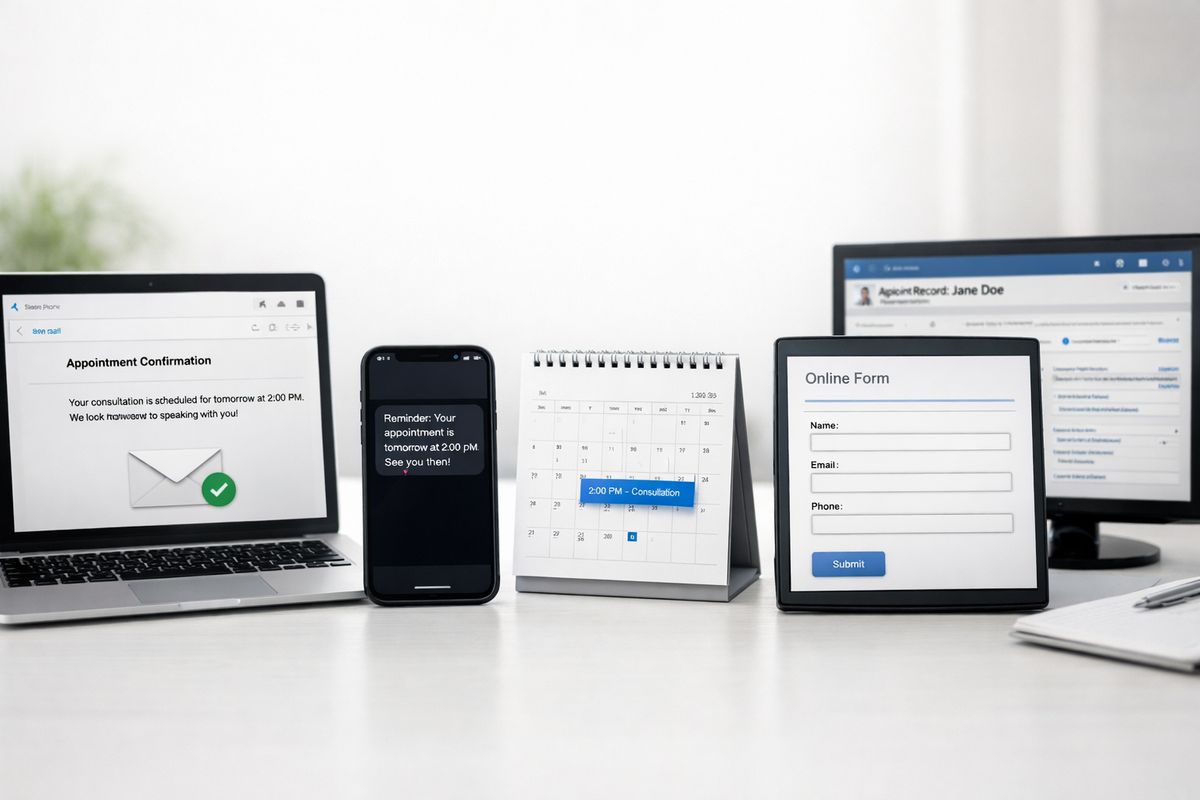
- Use SMS for missed-call follow-up, appointment reminders, and short document prompts.
- Keep texts brief and action-focused.
SMS works best when urgency is real. It is especially effective when paired with fast intake handling or an automated front-desk layer for first response.
Connect scheduling and intake forms
- Sync your consultation calendar with the CRM.
- Make sure website forms create records instantly and apply the correct source and status.
- Confirm booked appointments update the contact stage automatically.
Your checkpoint here is simple: complete a form, click the scheduling link, book the appointment, and verify the CRM records each action without staff intervention.
Step 7: Test the full automation path before you launch
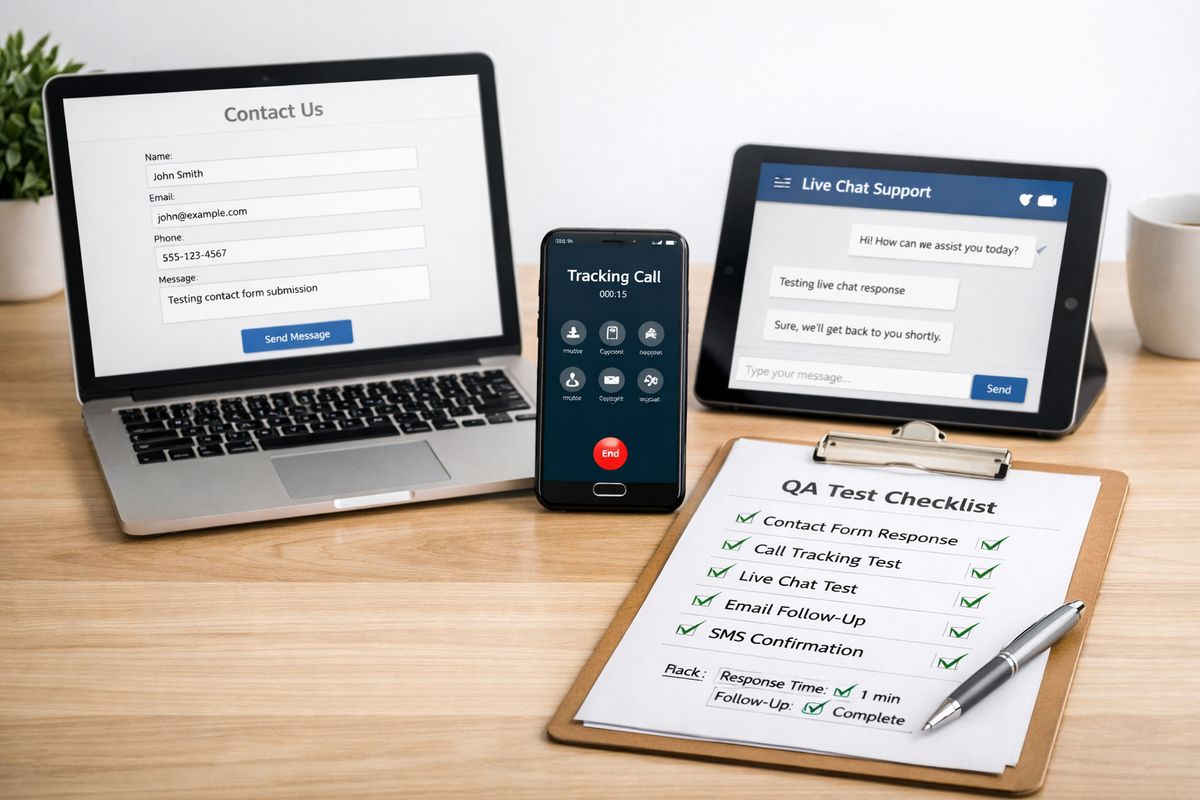
A 2023 Litmus email testing benchmark found that broken links, field errors, and rendering problems remain common even in professionally built campaigns. The move that works: run live tests through every trigger before a single real prospect enters the workflow.
Create test leads for each source and scenario
- Submit a website form.
- Call your tracked number.
- Create a manual lead inside the CRM.
- Start a live chat if that channel feeds intake.
Run each scenario separately. You need to see the exact message, timing, tag assignment, and owner assignment for each path.
Review timing, message order, and merge fields
- Check that delays match your intended schedule.
- Open every message and confirm names, dates, and links populate correctly.
- Verify that the messages arrive in the intended order.
A successful test feels boring. That is the goal. No surprises, no broken tokens, no dead links.
Check internal notifications and task creation
- Trigger staff alerts for replies, missed appointments, or urgent inquiries.
- Confirm the correct owner receives the task.
- Make sure duplicate tasks are not created when the automation fires.
Automation should support human follow-through, not replace judgment where immediate attention is required.
Step 8: Train your intake team to work inside the CRM workflow
A 2024 Gallup workplace report found that clear process expectations improve adoption of new systems because people follow what feels defined and repeatable. Here’s how to use it: train your team on exactly when automation handles the next step and when a person must step in.
Show the handoff points between automation and staff
- Define which messages send automatically.
- Define when staff must call, review, or escalate.
- Document the exceptions, especially urgent practice areas and live replies.
This keeps your prospect experience clean. No duplicate calls. No staff member stepping on an automated reminder.
Create one rule for updating lead status
- Decide who updates the status after each intake event.
- Require the same status label every time.
- Audit recent records after training to confirm consistency.
If one person marks a lead as “booked” and another leaves it as “new inquiry,” your workflow stops reflecting reality.
Give staff a script for manual intervention
- Write one approved call script for live follow-up.
- Write one short reply template for common questions.
- Write one escalation path for urgent or unusual inquiries.
The script should sound human and direct. It should also align with whatever automated message the prospect already received.
Step 9: Track the metrics that prove your automated follow-ups are working
A 2024 Nucleus Research CRM benchmark found that firms get stronger returns from CRM systems when workflows are tied to measurable conversion outcomes. What this means in practice: monitor a small set of intake metrics that show whether your automated follow-ups produce consultations and signed clients.
Measure speed to lead
- Track the time from inquiry to first response across forms, calls, and chat.
- Compare pre-automation and post-automation response times.
- Review outliers where the first message failed or arrived late.
This metric tells you if the system is doing the job you built it to do.
Measure consultation booking and show rates
- Track how many new leads book after entering the sequence.
- Track how many booked leads actually attend.
- Compare results by practice area and lead source.
If booking rises but show rates stay flat, your reminders need work. If show rates rise, your sequence is reducing intake friction.
Measure signed-case conversion by source
- Compare signed matters across paid search, referrals, organic search, and local platforms.
- Identify which channels respond best to fast, automated follow-up.
- Shift budget toward sources producing real retained matters.
For firms investing heavily in local visibility, this becomes more powerful when paired with the channels that drive local legal demand most reliably.
Step 10: Optimize and expand your automated follow-ups over time
A 2023 Forrester revenue operations survey found that teams improve performance fastest when they refine workflows based on observed response behavior instead of rebuilding from scratch. The move that works: start with one sequence, measure it, and improve it with discipline.
Adjust timing based on response patterns
- Review when prospects open, reply, and book.
- Shorten delays where response drops fast.
- Tighten reminders around the times prospects actually engage.
What this means in practice: timing should follow behavior, not preference.
Rewrite one message that underperforms
- Find the step with the lowest reply or booking rate.
- Change one variable, usually the subject line, CTA, or wording.
- Measure the result before changing anything else.
One good rewrite often lifts performance more than adding three new messages.
Expand to additional practice areas or lead stages
- Roll the working sequence into one new practice area.
- Adapt the language and triggers without changing the overall logic.
- Repeat only after the first expansion performs cleanly.
That is how automated follow-ups become a real intake system instead of a one-off experiment.
Troubleshooting common issues with CRM-connected automated follow-ups
A 2024 Validity email deliverability report found that automation failures usually come from data, deliverability, or workflow logic rather than message volume alone. Here’s how to use it: diagnose the exact break point instead of guessing.
Messages are not sending
Check the inbox connection, workflow status, sender authentication, and user permissions. In most cases, one of those settings changed after setup. Also confirm the contact actually met the trigger condition.
Prospects receive the wrong message
Review tags, statuses, conditional branches, and source mapping. Wrong messaging usually starts with bad field values, not bad copy. Fix the field logic first.
Staff and automation are duplicating outreach
Set one owner for each stage and one rule for who responds after a reply. If both staff and automation are acting on the same status, your handoff is not defined tightly enough.
Deliverability or reply rates are weak
Audit your sender reputation, simplify your copy, remove spammy phrasing, and tighten the CTA. Short, plain-English messages outperform bloated templates. If reply quality is weak, the message is too generic or the next step is unclear.
What outcome to expect and what to do next this week
A 2024 Clio Legal Trends finding on intake responsiveness reinforces a simple point: firms that respond faster and more consistently win more qualified consultations. CRM-connected automated follow-ups produce that consistency without forcing staff to chase every lead manually.
The outcome you should see after setup
You should see faster first-response times, fewer dropped leads, cleaner handoffs between systems and staff, and better visibility into which channels produce booked consultations and signed clients. Just as important, your intake team stops improvising follow-up and starts working from a defined process.
What to try this week
Choose one intake source, connect it to your CRM, and launch one three-message sequence tied to one goal: booking the consultation. That single workflow will show you exactly where your intake process is clean, where it breaks, and what to fix next. If you want a faster path to a working system, schedule a call with Attorney Visibility ai for more information.
Frequently Asked Questions
How long should automated follow-ups run for a law firm lead?
Run the first sequence for the first few days after inquiry, when intent is highest. For most firms, three messages tied to one action outperform long drips that keep talking after urgency has faded.
Should your law firm use both email and SMS for automated follow-ups?
Yes, when the lead has consented and the message fits the channel. Email works well for explanations and links. SMS works best for fast reminders, missed-call follow-up, and short appointment prompts.
What is the biggest mistake in CRM-connected automated follow-ups?
Launching automation on messy data. If fields, statuses, and tags are inconsistent, the CRM cannot route contacts correctly, personalize messages properly, or stop sequences when the lead advances.
How fast should the first automated follow-up send?
Immediately after the inquiry enters your CRM. Speed is not a nice extra in legal intake. It is a conversion factor.
Do automated follow-ups replace your intake staff?
No. Automation handles consistency and speed. Staff handle judgment, urgency, objections, and live conversations. The strongest setup combines both.
How do you know your automated follow-ups are working?
Track speed to lead, consultation booking rate, show rate, and signed-case conversion by source. If those numbers improve after launch, your workflow is doing its job.